Entra ID contacts, synced to every company phone.
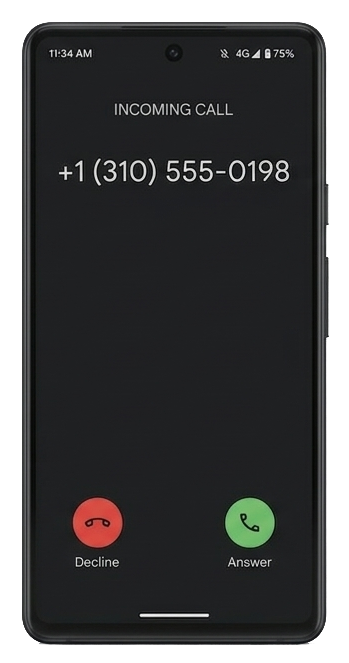
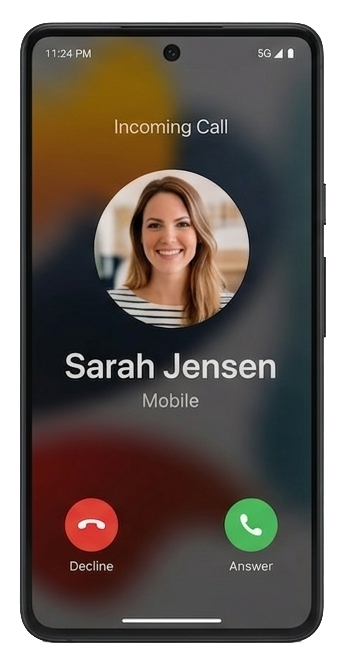
When a colleague calls, your employees see a name and photo instead of an unknown number. CYNC reads users from Microsoft Entra ID and writes them as contacts into Exchange Online mailboxes — automatically, on schedule. No PowerShell, no EWS, no maintenance.

Why switch?
CYNC vs. PowerShell scripts
Microsoft 365 has no built-in way to push Entra ID users as phone contacts. Most tenants rely on legacy scripts — here's what that costs you.
EWS deprecated
Microsoft is retiring Exchange Web Services. EWS-based scripts will stop working.
Silent failures
Scheduled PowerShell jobs fail without alerting anyone. Employees notice weeks later.
No audit trail
No dashboard, no history. Troubleshooting means reading raw log files.
Protocol
Setup time
Monitoring
Delta sync
Updates
| Feature | PowerShell / EWS | CYNC |
|---|---|---|
| Protocol | EWS (deprecated) | Microsoft Graph API |
| Setup time | Hours to days | Under 15 minutes |
| Monitoring | None — failures are silent | Real-time WinUI 3 dashboard + Windows Event Log |
| Delta sync | Re-fetch everything | Only changed users |
| Updates | You maintain the script | WiX MSI with silent upgrade (/quiet) |
How It Works
From zero to synced contacts in 15 minutes
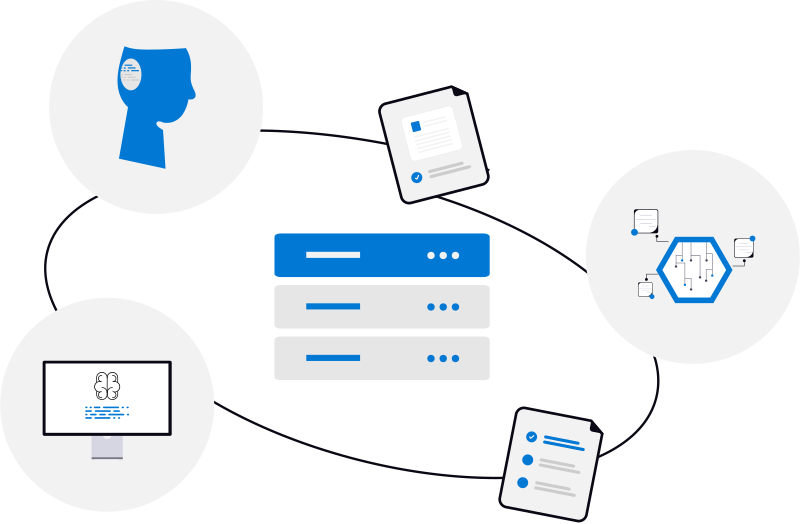
CYNC bridges the gap between Microsoft Entra ID and your employees' phones — fully automated, zero maintenance.


- 01
Install & connect
Run the MSI on any Windows Server or workstation. Enter your Tenant ID and Client ID, generate a certificate with one click, upload it to your Entra ID App Registration. Under 15 minutes, fully offline.
Cync.Setup.exe /quietCertificate authOffline install - 02
Choose targets
Pick which mailboxes receive contacts — sync from Entra ID groups (auto-add/remove), import by CSV, or toggle individually. New group members are picked up automatically each cycle.
Auto-sync groupsCSV importPer-user toggle - 03
Sync & monitor
CYNC runs on schedule: delta queries fetch only changes, diffs them against existing contacts, and batch-writes updates across up to 10 mailboxes concurrently. The WinUI 3 dashboard shows real-time progress, full audit history, and log viewer. Sync events are logged to the Windows Event Log for integration with your monitoring stack.
Delta syncJSON batchingEvent Log alertsSilent upgrades
Capabilities
Built by sysadmins, for sysadmins
Every feature exists because a Windows admin needed it. No bloat, no SaaS dependencies, no telemetry.
Microsoft Graph API
Contacts.ReadWrite and User.Read.All via Graph SDK v5. No EWS, no legacy protocols, no deprecation risk.
WinUI 3 Admin Dashboard
Native Windows app for configuration, manual sync triggers, real-time progress, and full sync history.
High-Performance Sync
Delta Query fetches only changed users. Up to 10 mailboxes processed in parallel with JSON batching, automatic retry, and exponential backoff.
Enterprise-Grade Security
Offline RSA-2048 signed license keys verified locally. Certificate-based Entra ID auth via Azure.Identity. Keys encrypted at rest with DPAPI.
Open Extension Correlation
Contacts tagged with the com.itbaer.cync Open Extension. Renames and email changes handled correctly.
Server Core Support
Installs on Server Core (no GUI). Administer remotely via gRPC-over-HTTPS with Windows-integrated authentication.
Enterprise Deployment
WiX v5 MSI with silent install (/quiet), service registration, and offline prerequisites. Upgrade by re-running the MSI — no manual re-deployment.
Windows Event Log
All sync events, errors, and status changes are written to the Windows Event Log. Integrate with your existing SIEM or monitoring stack.
Pricing
Pay per user, save at scale
As low as € 0.18/user/month with annual billing. Volume discounts apply automatically - the more users, the less you pay. Up to 10 users is free.
First 10 users are always free. Annual pricing shown. Monthly billing available with reduced volume discount.
How does CYNC compare?
CiraSync charges approximately $5.00 per user/month. With CYNC, 100 users cost just € 0.29/user — that's up to 17× cheaper. Plus, your data never leaves your server.
See full comparison →Need more than 5,000 users? Contact IT-BAER →
Blog
Guides for Microsoft 365 admins
Field-tested writeups on GAL sync, Graph API, EWS deprecation, and Entra ID best practices.
FAQ
Common questions
How can I sync Entra ID (Azure AD) contacts to Exchange Online?
By using CYNC, a specialized Windows Service. CYNC connects to the Microsoft Graph API, reads your Entra ID user directory, and writes those users directly into the designated Exchange Online contact folders. This solves the missing company contacts on mobile devices.
What happens when Microsoft deprecates EWS?
CYNC does not use EWS at all. It communicates exclusively via Microsoft Graph API (REST). EWS deprecation has no impact on CYNC.
Why can’t employees just see Entra ID users on their phones natively?
Microsoft 365 has no built-in feature that pushes Entra ID user profiles as phone contacts. The Global Address List (GAL) is searchable inside Outlook (desktop, web, and mobile), but those directory entries never appear in the phone’s native contacts app — so there’s no caller ID, no name resolution in the dialer or messaging apps. CYNC bridges that gap by writing real Exchange contacts into each user’s mailbox, which then sync to any device via Outlook’s “Save Contacts” feature or a Microsoft account.
Is there a trusted alternative to CiraSync?
Yes. CYNC is the premier on-premise alternative to CiraSync. Instead of sending your directory data to a cloud SaaS provider, CYNC runs purely on your own servers. CYNC is significantly more affordable, starting at €0.29/user/month compared to CiraSync's reported ~$5/user/month (CiraSync doesn't publish pricing publicly), and offers a permanent free tier.
Can I cancel my subscription?
Yes, anytime. You can cancel via the Stripe customer portal (link in the footer and your license email). Cancellation takes effect at the end of the current billing period — you keep full access until then.
What support is included?
Every license includes email support at admin@it-baer.net.
Have a question not answered here?
Email IT-BAER →Replace your contact sync scripts today
Download CYNC, connect to your Entra ID tenant, and see contacts land in your mailbox within minutes.
Questions? Email admin@it-baer.net